Most salons post images or reels several times a week. Few see that turn into new appointments. That gap between showing up online and filling the chair is where salon marketing often breaks down.
The problem usually isn't effort. It's structure. An owner opens Instagram, stares at the app, and posts whatever feels ready that day. Some weeks bring five posts. Other weeks bring none. Followers notice the gaps, even if they can't say why. The salon never builds the steady presence that turns a scroll into an appointment.
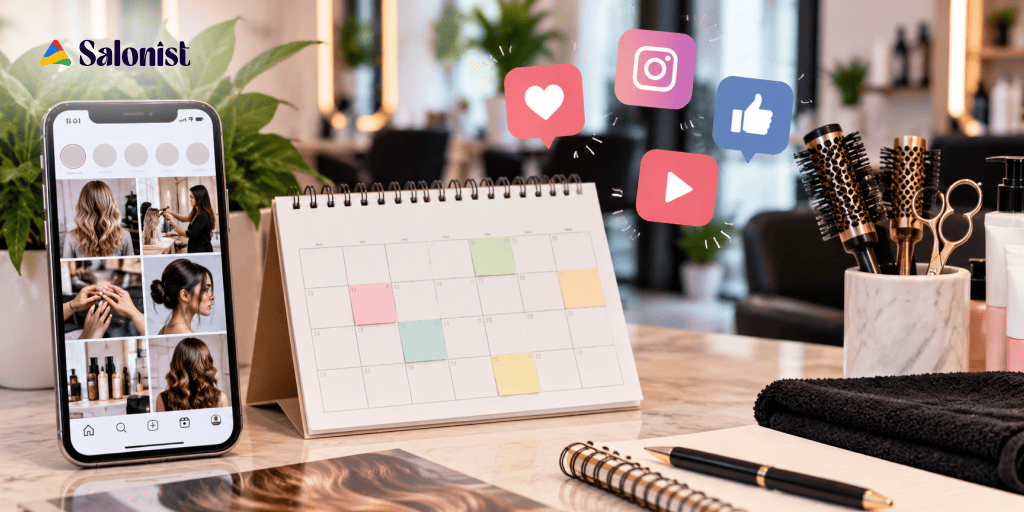
A content calendar fixes this. You set the plan once, then follow it all month. No more deciding what to post every morning. That's really what good salon social media ideas come down to: a plan you can stick to.
This guide provides 30 content ideas for 2026, categorised according to their nature and the purpose they serve for your business. At the end, we have included a template schedule that will provide you with ideas for four weeks this month.
Why Salons Need a Social Media Content Calendar in 2026
Before the ideas themselves, here's why a calendar changes results. Three things happen once you plan ahead.
Stay Consistent Without Posting Randomly
A calendar keeps your posting steady instead of random. Clients who see your salon a few times a week trust it faster than clients who see a burst of posts, then silence. Planning ahead also balances your mix. Not every post can be a sale if you're planning a week out, so promotional posts naturally sit next to helpful and fun ones.
Turn Social Media Followers Into Salon Customers
A follower isn't a customer yet. Something has to move them from watching to booking. Good content does that step by step. A helpful tip today. A transformation tomorrow. A client story next week. Each post builds trust or nudges someone closer to picking up the phone. Skip the plan, and salons tend to post only when there's a deal to share. That skips the trust a stranger needs before committing to someone new.
Make Every Post Support a Business Goal
Every post should earn its spot. Give it one of five jobs: awareness, engagement, leads, appointments, or keeping past clients coming back. Plan around these goals, and gaps get easy to spot. A month full of transformation photos might build awareness well, but do nothing for repeat visits. A calendar catches that before you hit publish, not after.
How to Build a Salon Social Media Content Calendar
Building the calendar is simpler than it sounds. It comes down to three choices, made once a month.
Choosing the Right Social Media Platforms
Not all platforms should be treated equally. Instagram still wins for transformations and reels. Facebook works well for local groups, reviews, and older clients. TikTok drives reach through trends and short video, especially with younger clients. Pinterest sends steady traffic from people already searching for styles. YouTube Shorts gives your videos a second, easier to search home.
Create a Mix of Content Types
A healthy mix has six types. Educational posts: tips, myths, how tos. Promotional posts: offers, launches. Fun posts: memes, trends and polls. Behind the scenes posts covering the team, prep and culture. Customer focused posts: spotlights and testimonials. And content from your customers: reposts and tags. Rotate through these and your feed stays interesting. Your followers see more than sales pitches.
Plan Content Around Salon Promotions and Events
Add real dates to your calendar. Seasonal services, holidays, new launches, special offers, staff events. Plan these ahead, and your promotions line up with what's actually happening in the business. Skip this step, and offers tend to get posted late, as an afterthought.
30 Social Media Post Ideas for Salons for 2026
Below are 30 post ideas that you can plug directly into your month planner.
1. Before and After Transformation Posts
- Display transformations in hair cutting, colouring, styling, skin care or nails.
- Use the same lighting and angle each time.
- Name the service and the stylist in the caption.
2. Client Makeover Reels
- Film short clips of the full transformation.
- Include the reveal moment for impact.
- Tag the client, with their permission, to widen reach.
3. Meeting the Salon Team
- Introduce stylists, beauticians and therapists one by one.
- Give information about their specialisation and years of experience.
- Share one personal detail about each person to make them memorable.
4. Behind the Scenes Salon Content
- Show morning setup, product prep or team moments.
- Keep it candid, not staged.
- Post to Stories for a more casual feel.
5. Hair Care Tips from the Pros
- Provide one valuable home care tip each time you post.
- The tip should be concrete rather than vague.
- Make sure you mention the stylist behind the tip.
6. "Which Look Would You Go With?" Post
- Compare two or more looks to one another.
- Ask your followers which one they would choose.
- Respond to comments to continue the discussion.
7. Trending Hairstyle or Beauty Looks
- Cover a current trend that fits your services.
- Explain how a client can get the look.
- Link the trend to a service they can book.
8. Client Testimonials
- Turn a real review into a short graphic or clip.
- Pair the quote with a photo of the result.
- Rotate testimonials across your different services.
9. User Generated Content
- Repost photos from clients who tag your salon.
- Always ask before you reshare.
- Thank the client by name in the caption.
10. Salon FAQs
- Answer real questions about price, prep or aftercare.
- Keep each answer short and direct.
- Turn the DMs you get most into public posts.
11. Product Spotlight
- Explain which professional products your salon uses.
- Say why that product suits a specific need.
- Mention if it's for sale in the salon.
12. "Meet the Expert" Series
- Let one team member share a favourite technique.
- Ask why they chose that particular specialty.
- Stay conversational in style, not scripted.
13. Hair or Beauty Myth Busting Posts
- Pick one common myth to address.
- Explain the truth in plain terms.
- Skip the technical language.
14. Quick Beauty Tips
- Provide one tip within 15 seconds of video.
- Maintain the same format for all videos.
- Choose a catchy title for your video series.
15. Customer Birthday or Anniversary Posts
- Celebrate milestones, with the client's okay first.
- Pair the post with a small, real gesture.
- Keep the tone warm, not like an ad.
16. Special Offers and Promotions
- Promote a limited time discount or package.
- Add a clear end date.
- Include a direct link to your online booking page.
17. New Service Announcements
- Introduce a new treatment or technique clearly.
- Say who the service works best for.
- Include a starting price if you can.
18. "A Day at Our Salon" Reel
- String together clips from open to close.
- Show arrivals, treatments and team energy.
- Keep the pace quick to hold attention.
19. Staff Picks
- Ask each team member for a favourite treatment or product.
- Frame it as their own pick, not an ad.
- Rotate through different staff members each month.
20. Seasonal Beauty Tips
- Tie posts to summer, winter, weddings or holidays.
- Suggest services that match the season.
- Post ahead of when demand usually rises.
21. Common Hair Mistakes to Avoid
- Cover one mistake clients often make at home.
- Explain the fix or a better option.
- Keep the tone helpful, not preachy.
22. Salon Polls and Questions
- Use Stories to ask a quick, easy question.
- Let the answers guide future content.
- Share the results back with your followers.
23. Customer Spotlight
- Feature a loyal client and their go to services.
- Ask what keeps them coming back.
- Use their own words as proof.
24. Time Lapse Transformation Videos
- Compress a full service into a short clip.
- Speed up the prep, slow down the reveal.
- Match the music to the pace.
25. Salon Memes and Relatable Content
- Make jokes about appointments, hair challenges or routines.
- Keep the jokes related to salon life only.
- Avoid jokes that may seem unprofessional to clients.
26. Contest or Giveaway
- Offer a service or product as the prize.
- Ask for a follow, tag or comment to enter.
- Set a clear deadline and pick a winner on time.
27. Beauty Tutorials
- Walk through one simple styling or skincare step.
- Keep it short and easy to follow.
- Link back to the products or service used.
28. "Book Your Appointment" Reminder
- Publish this whenever you have openings.
- Include a strong call to action.
- Pair it with a picture of some of your recent work.
29. Monthly Results or Highlights
- Recap your favourite transformations from the month.
- Add a team win or milestone.
- Use this as a natural month end wrap up.
30. Ask Your Followers What They Want to See
- Invite direct suggestions for future posts.
- Reply to as many answers as you can.
- Actually follow through on the ideas you get.
Salon Social Media Ideas by Content Goal
Grouping these same ideas by goal makes it easier to fit the right post into the right week.
Getting More Appointments
Lean on promotions, service demos, before and after posts, testimonials and appointment reminders.
Increasing Engagement
Try polls and questions, quizzes, "this or that" posts and trending formats.
Building Brand Awareness
Post reels and educational videos, team introductions, behind the scenes posts and customer stories.
Customer Retention
Focus on aftercare tips, personal messages, birthday posts and offers made only for existing clients. A salon loyalty program gives this content something concrete to point to instead of a generic thank you.
Turn Social Media Interest Into More Salon Appointments
Great posts still need somewhere to send an interested follower. This is where marketing meets the day to day running of your salon.
Connect Your Social Media Marketing With Your Appointment Process
Say someone likes your reel. Now they have to find your bio, then your website, then call during business hours just to book. Most people drop off somewhere in that chain. Cut the steps between interest and appointment, and more followers turn into clients.
Use Salonist to Simplify Appointment Management
Salon management software such as Salonist handles the next step once someone is ready to book. Appointment management, client records and scheduling sit in one place. No more splitting the work across a notebook, a phone and a few different apps.
Make Your Social Media Campaigns More Actionable
Every promotional post should point somewhere clear. A service page. An appointment link. A direct message. Cutting the steps between a post and a confirmed appointment often matters more than posting more often.
Why Social Media and Salon Management Should Work Together
Marketing brings people in. A proper scheduling system turns that interest into a confirmed appointment. That becomes an experience worth repeating, and one worth recommending.
How Often Should Salons Post on Social Media in 2026?
It varies from salon to salon, but a basic weekly posting mix will do the job.
Weekly Posting Mix Recommendation
A fair starting point: two to three reels a week, three to four feed posts, daily Stories, one promotional post and one or two educational posts.
Focus on Consistency Over Volume
Posting every single day with weak content rarely beats four strong, planned posts. Followers want clear, useful content, not raw frequency. If your calendar feels like too much, cut the volume before you cut the quality.
Tips to Get Better Results From Your Salon Social Media Content
A few factors separate salons that continually expand their client base from those that don't.
Have Great Visuals
Proper lighting and steady hands weigh more than fancy equipment.
Show Real Customers and Real Results
Real transformations beat polished, stock style content every time.
Use Strong Calls to Action
Say precisely what you want people to do: make an appointment, leave a comment, tap the link in your bio.
Engage With Commenters and Message Writers
Treat it as a conversation, not a speech. Answer within hours if you can.
Track Which Content Drives Engagement and Appointments
Check which posts actually lead to a DM or a call, not just likes. Then make more of those.
Repurpose Your Best Performing Content
One strong reel can also become a Story highlight, a Pinterest pin and a YouTube Short, with barely any extra work. Some salons now use salon automation tools to speed up captions, campaign timing and planning too.
A Simple 30 Day Salon Social Media Content Calendar
Here's how the 30 ideas above map onto a four week rotation, moving from introduction to appointment.
| Week | Content Focus | Post Ideas | Main Goal |
|---|---|---|---|
| Week 1 | Introduce and Educate | Team introduction, salon tour, beauty tips, service spotlight, FAQ | Build awareness and trust |
| Week 2 | Engage and Entertain | Polls, quizzes, trending looks, beauty myths, relatable salon content | Increase engagement |
| Week 3 | Showcase and Build Trust | Before and after transformations, client testimonials, UGC, expert tips, product recommendations | Build credibility |
| Week 4 | Promote and Convert | Special offers, packages, new services, appointment reminders, strong calls to action | Drive appointments |
Repeat this each month. Swap specific posts based on the season, your current offers, and what your audience actually responds to.
Frequently Asked Questions
How often should a salon post on social media in 2026?
A workable weekly mix is two to three reels, three to four feed posts, daily Stories, one promotional post and one or two educational posts. Consistency matters more than volume. Four strong planned posts will usually outperform daily posts with weak content, so if the calendar feels heavy, reduce the volume before you reduce the quality.
Which social media platform works best for salons?
Instagram remains strongest for transformations and reels. Facebook performs well for local groups, reviews and older clients. TikTok drives reach through trends and short video, particularly with younger audiences. Pinterest brings steady traffic from people already searching for styles, and YouTube Shorts gives existing videos a second, more searchable home. Most salons do best on two platforms done properly rather than five done occasionally.
What should a salon post on Instagram?
Rotate six content types: educational posts such as tips and myth busting, promotional posts covering offers and launches, fun posts like memes and polls, behind the scenes content showing the team and prep, customer focused posts such as spotlights and testimonials, and user generated content reposted from clients who tag the salon. Rotating keeps the feed varied and stops it reading as a run of sales pitches.
How do salons turn social media followers into appointments?
Reduce the number of steps between interest and appointment. If a follower has to find the bio, then the website, then call during business hours, most will drop off along the way. Every promotional post should point to one clear destination, such as a service page, an online booking link or a direct message, and the appointment should be confirmable without a phone call.
How far in advance should a salon plan its content calendar?
One month ahead is enough for most salons. Planning a month at a time lets you balance the mix so promotional posts sit alongside helpful and entertaining ones, and it lets you line offers up with seasonal services, holidays, launches and staff events instead of posting them late as an afterthought.
How do you measure whether salon social media content is working?
Track which posts lead to a direct message, a call or an appointment rather than which posts collect the most likes. Engagement without enquiries tells you the content is entertaining but not converting. Once you know which formats produce enquiries, produce more of those and repurpose the strongest performers into Stories highlights, Pinterest pins and YouTube Shorts.
Final Thoughts: Make Your Salon Social Media Work Harder in 2026
Social media for salons should be more than pretty photos. Used well, it can teach, entertain, build trust and gently move a visitor towards an appointment. With a content calendar, you won't have to guess what to post each day. Connecting that content to a smooth scheduling process closes the loop between interest and revenue.
None of this means posting more. It means posting with a clear purpose and giving followers an easy next step once they're ready. Ready to pair a stronger content plan with a scheduling process your front desk can keep up with? See how Salonist handles appointments and client management.