Nail Salon Software
Salonist is cloud-based nail salon software built to run your whole salon without the chaos. Clients book online around the clock, technicians see their own schedules, every client's nail history and preferences are saved, and checkout takes seconds instead of minutes. As complete nail salon management software, it handles appointments, POS, retail stock, staff performance and marketing in a single system — so you spend less time at the front desk and more time on nails.
Free 7 days · Unlimited staff, one price · We move your data in
Trusted Nail Salon Software for Salons and Nail Bars











Nail Salon Problems Salonist Solves
-

Double Bookings and Scheduling Overlaps
Without a live calendar, nail technicians get double-booked, walk-ins clash with appointments, and the front desk turns chaotic.
-

High No-Show Rates
Missed nail appointments waste technician time and kill revenue. Without reminders, clients simply forget and do not show up.
-

Billing Errors at Checkout
Calculating gel, acrylic, and retail totals manually leads to mistakes, slow checkouts, and frustrated clients waiting to pay.
-

No Client History on File
Without saved profiles, technicians ask the same questions every visit. Clients notice and it makes the experience feel impersonal.
-

Running Out of Retail Products
Popular polishes and gels sell out with no warning. Without inventory tracking, clients leave empty-handed and revenue is lost.
-

Clients Not Coming Back
Without follow-ups, loyalty rewards, or re-booking reminders, nail salon clients quietly drift to the competition.
Features of Salonist
Salonist is all-in-one nail salon software, trusted by nail salons and spas worldwide to manage bookings, technicians, payments and retail from one place.
Why Nail Salon Checkout Breaks Generic POS Systems
A café POS sells a coffee at a fixed price. A nail salon POS has to handle a service that changed halfway through, an add-on the client agreed to at the table, a tip that belongs to a specific technician, a retail item, and a gift card covering part of the total — in one go, while the next client is waiting.
-
Add-ons priced by hand
A full set becomes a full set with art, a repair and a French tip. Every one of those is a separate line, and every one of them gets forgotten or mis-priced at a busy front desk.
-
Tips that nobody can trace
Cash tips go in a jar, card tips get typed into a spreadsheet, and at payroll nobody can prove who earned what. Disputes follow.
-
Retail sold on a separate till
Polish and aftercare rung up on a different system means stock never matches, and nobody knows which retail lines actually sell.
-
Commission worked out monthly
If checkout does not record which technician performed which service, commission becomes a manual reconstruction at month end.
-
Queues at the desk
Card machine, calculator, appointment book and receipt pad are four separate steps. Clients wait, and the next appointment starts late.
-
Booth renters paid separately
Renters need their own takings separated from the salon's, and a shared till cannot do that cleanly.
Fast Nail Salon POS & Checkout
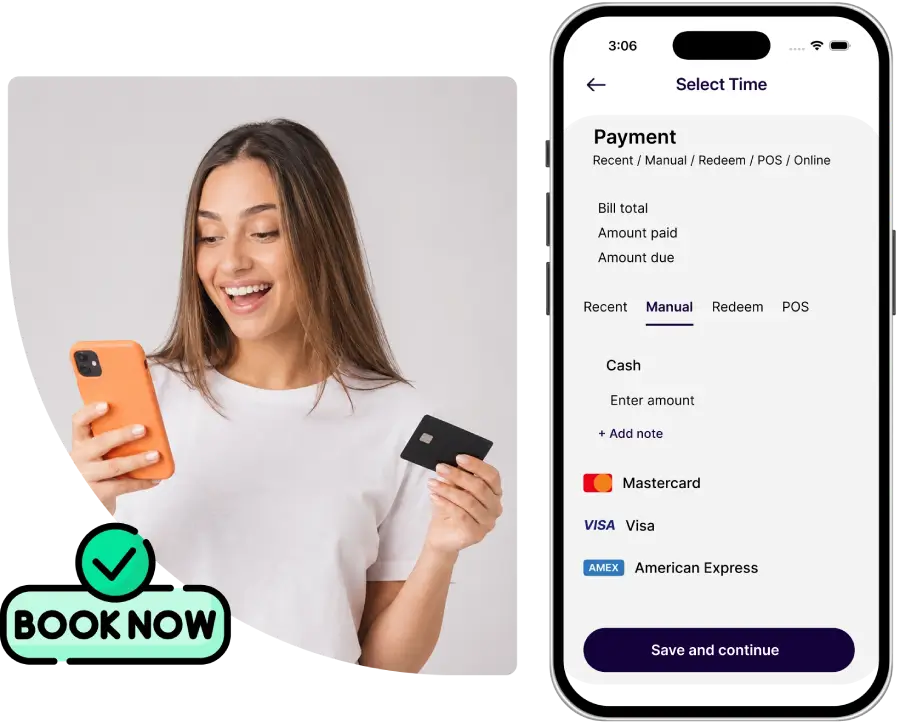
A slow checkout undoes a great manicure. Salonist's nail salon POS system takes payment in seconds — card, contactless or online — with gel, acrylic, dip and add-on services totalled automatically so nobody is adding up prices by hand.
Tips go on at the tap of a button and are tracked per technician. Retail polish, files and aftercare sell alongside services at the same screen, and every sale updates your stock and reports automatically.
- Card, contactless and online payments
- Service add-ons and packages totalled automatically
- One-tap tipping, tracked per technician
- Retail products sold at checkout
- Every sale syncs to inventory and reporting
- Split payments and gift card redemption
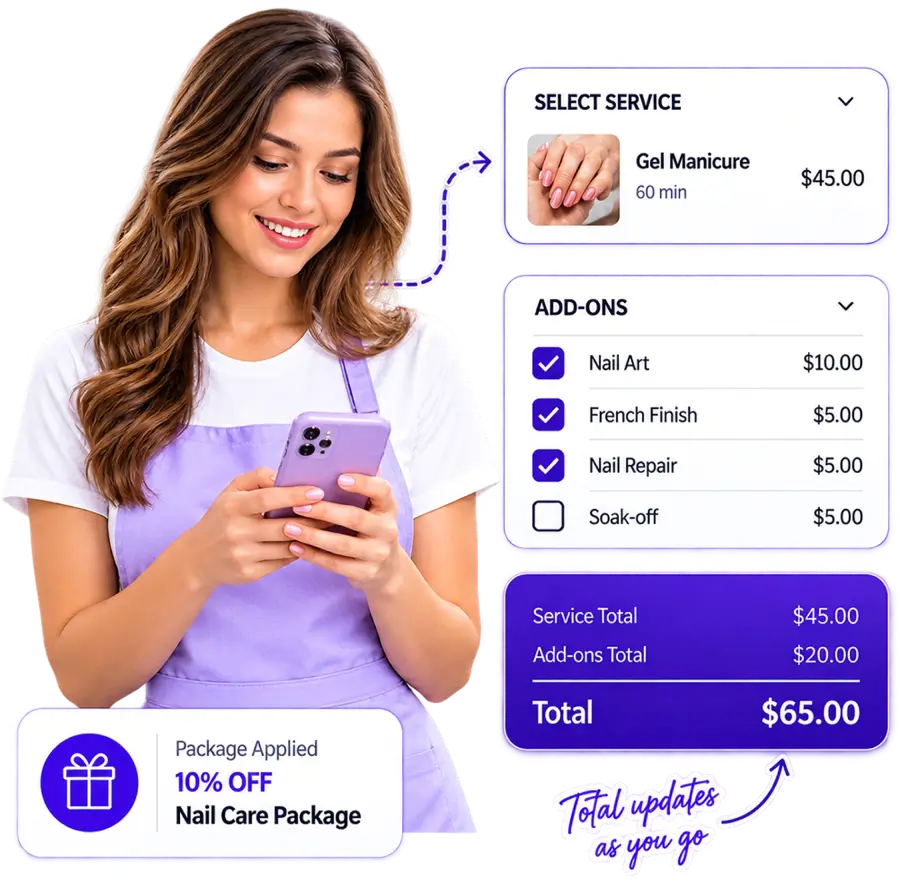
Services and add-ons total themselves
Every service carries its price, its duration and its add-on options. Pick the service at checkout and the base price is already there; add art, a repair, a soak-off or a French finish and the total updates as you go. Packages and course deals apply automatically rather than being remembered by whoever is on the desk.
- Gel, acrylic, dip, extensions and natural nail services priced separately
- Add-ons attached to the parent service, not typed in loose
- Packages, courses and memberships applied automatically
- Price adjustments and discounts with a reason code
- Nothing calculated by hand
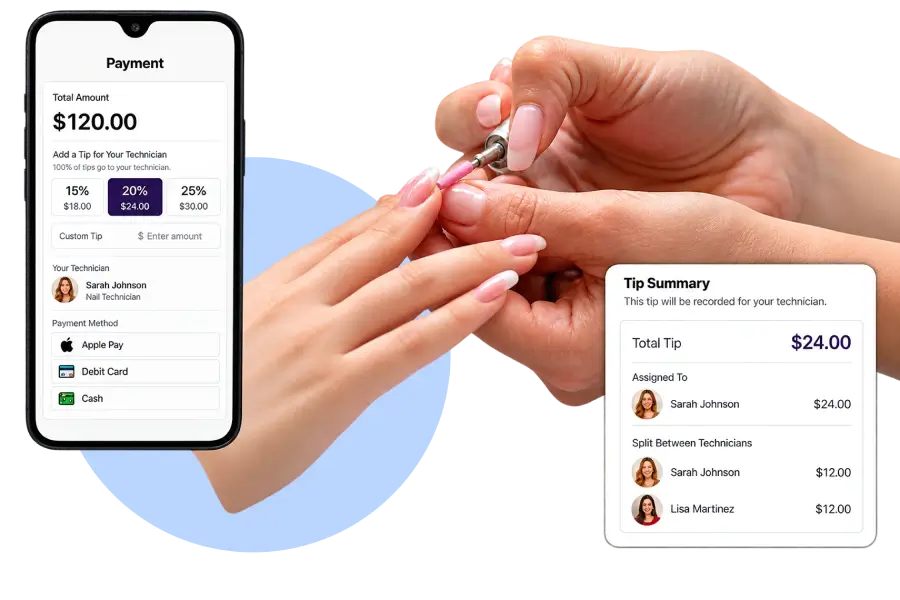
One-tap tipping, tracked per technician
Tipping is where most nail POS systems fall down. Salonist puts preset tip amounts on the payment screen, assigns the tip to the technician who did the work, and records it against that technician for payroll. Split the tip across two technicians when two people worked on the set, and both records reflect it.
- Preset and custom tip amounts on the payment screen
- Tip assigned to the performing technician automatically
- Split tips across multiple technicians in one transaction
- Cash and card tips recorded in the same place
- Tip totals per technician available in reporting
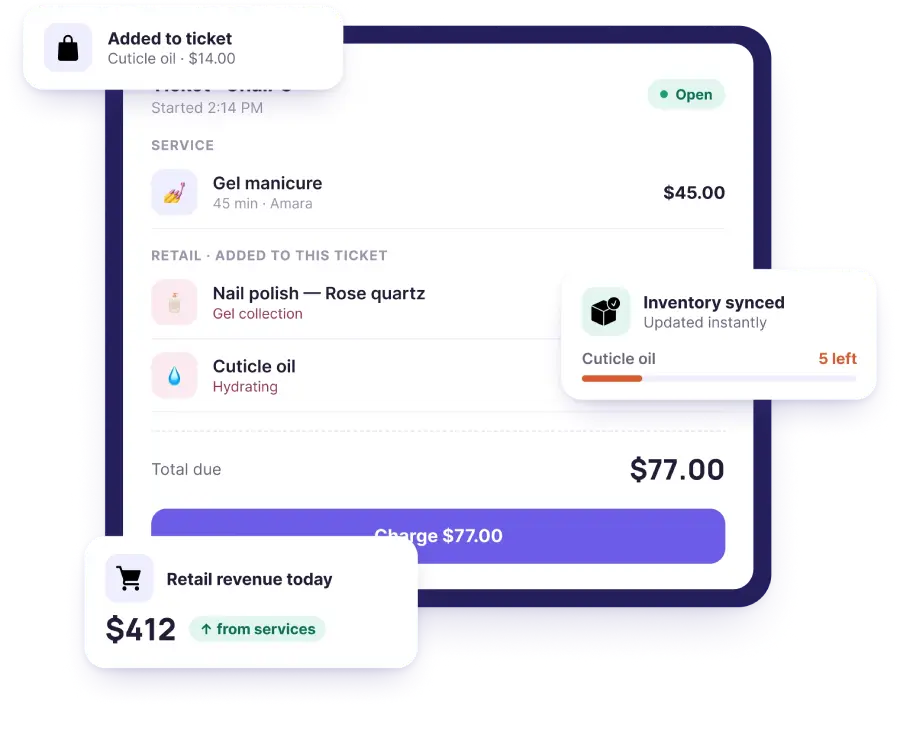
Retail sells at the same screen
Polish, files, cuticle oil and aftercare go onto the same ticket as the service. No second till, no separate stock count. Every retail sale deducts from inventory on the spot and shows up in the same revenue report as your services.
- Retail and services on one ticket
- Barcode scanning or search by product name
- Stock deducted at the moment of sale
- Low-stock alerts before you run dry
- Retail attach-rate visible per technician
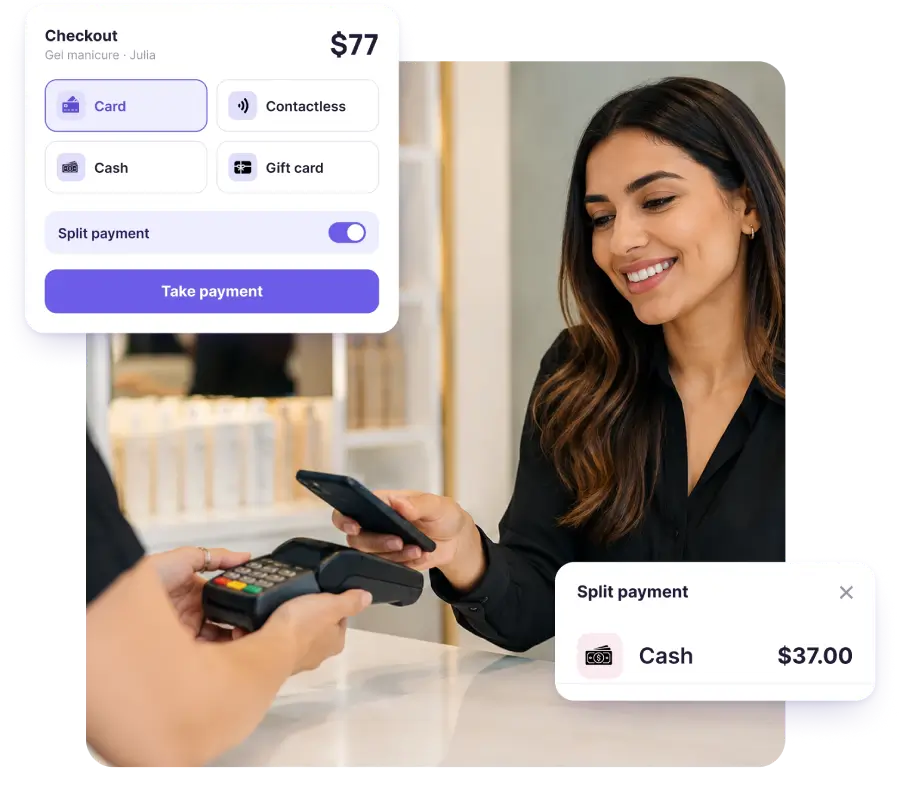
Every payment method your clients use
Card, contactless, cash, online prepayment, gift card, or a split across two of them. Salonist connects to Stripe, Clover, Pine Labs, Tap, Ziina, Network Payments, UPayments, Tabby and Tamara — including the Gulf payment rails most salon POS systems do not support.
- Card, contactless and cash
- Online prepayment and deposits at booking
- Gift card and voucher redemption
- Split payments across two methods
- Buy-now-pay-later via Tabby and Tamara
- Regional rails: Tap, Ziina, Network Payments, UPayments, KNET
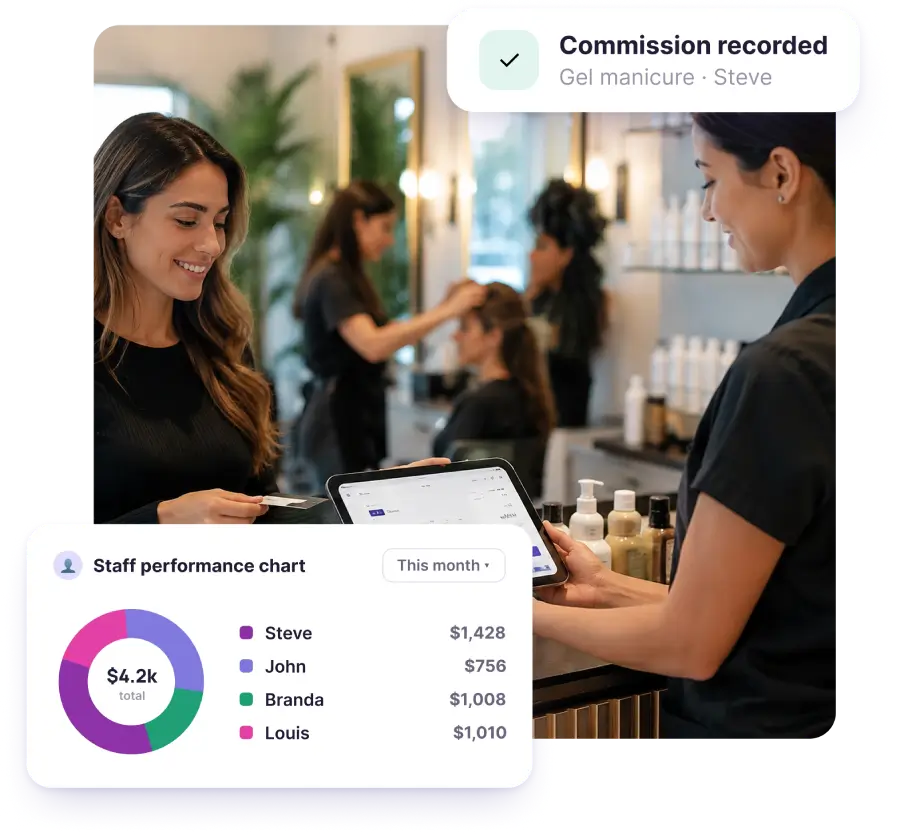
Commission calculated as you go
Because checkout records which technician performed which service, commission is not a month-end reconstruction. Set the rate per technician, per service, or as a tiered structure, and the figure is already there when payroll comes round.
- Commission per technician or per service
- Tiered rates by revenue band
- Retail commission separate from service commission
- Booth renter takings kept separate from salon revenue
- Payroll-ready totals with no spreadsheet stage
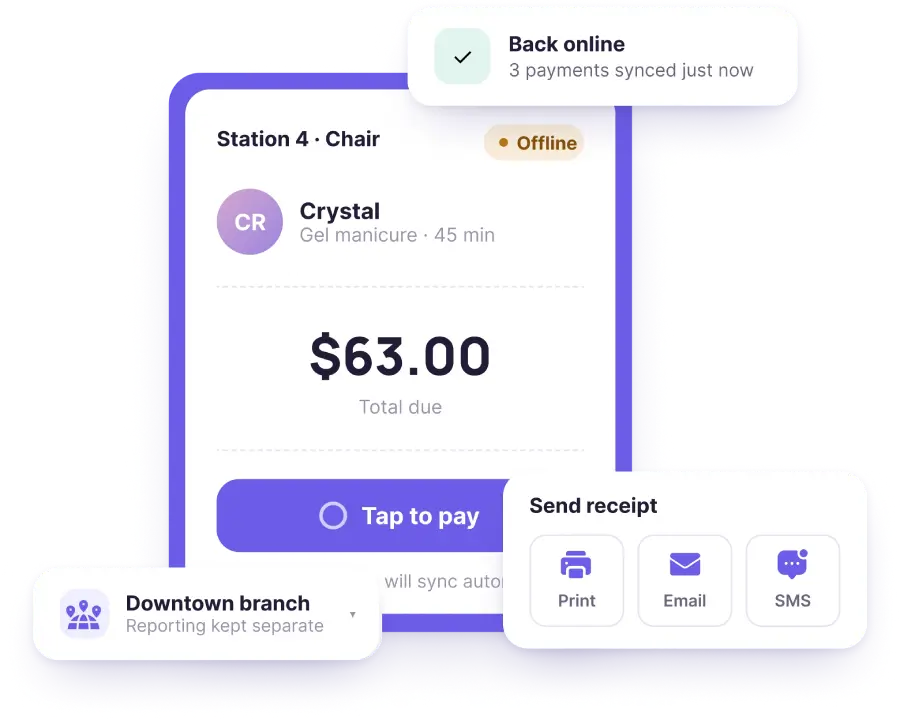
Works offline and on the floor
If the internet drops, the POS keeps taking payments and syncs when the connection returns. Technicians can take payment at the station on a tablet or phone rather than walking every client to the front desk.
- Offline mode with automatic sync
- Tablet and phone checkout at the station
- Receipt by print, email or SMS
- Multi-location: one POS, separate reporting per branch
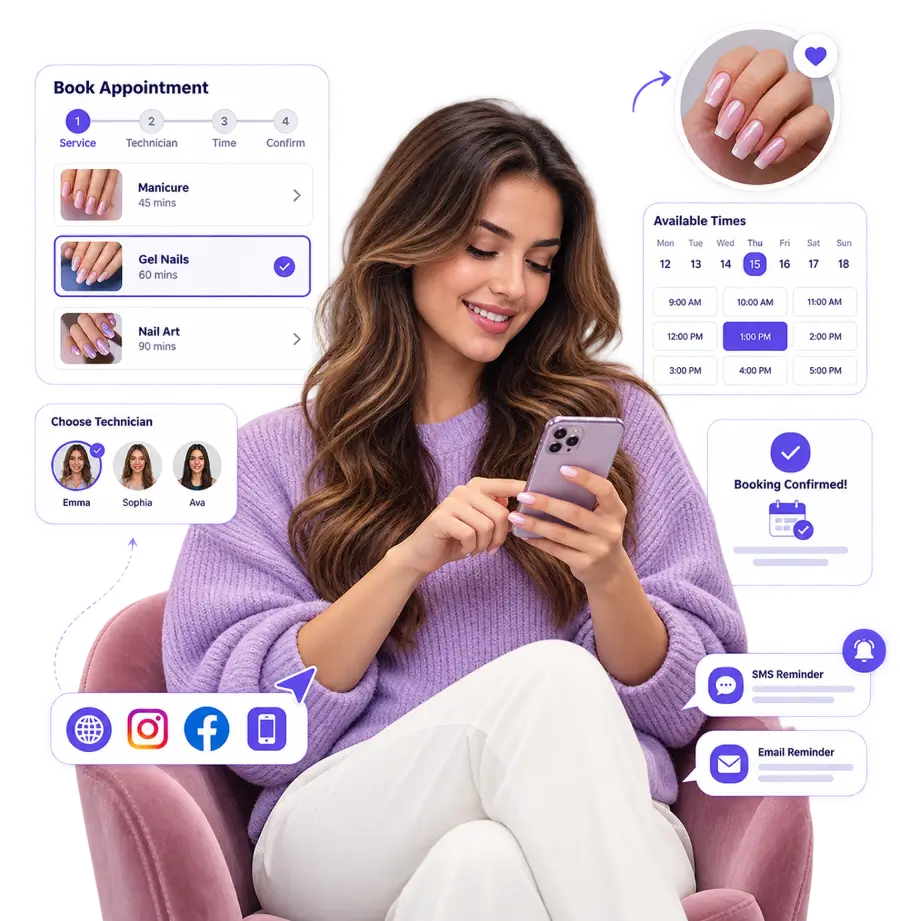
Nail Salon Booking System That Works 24/7
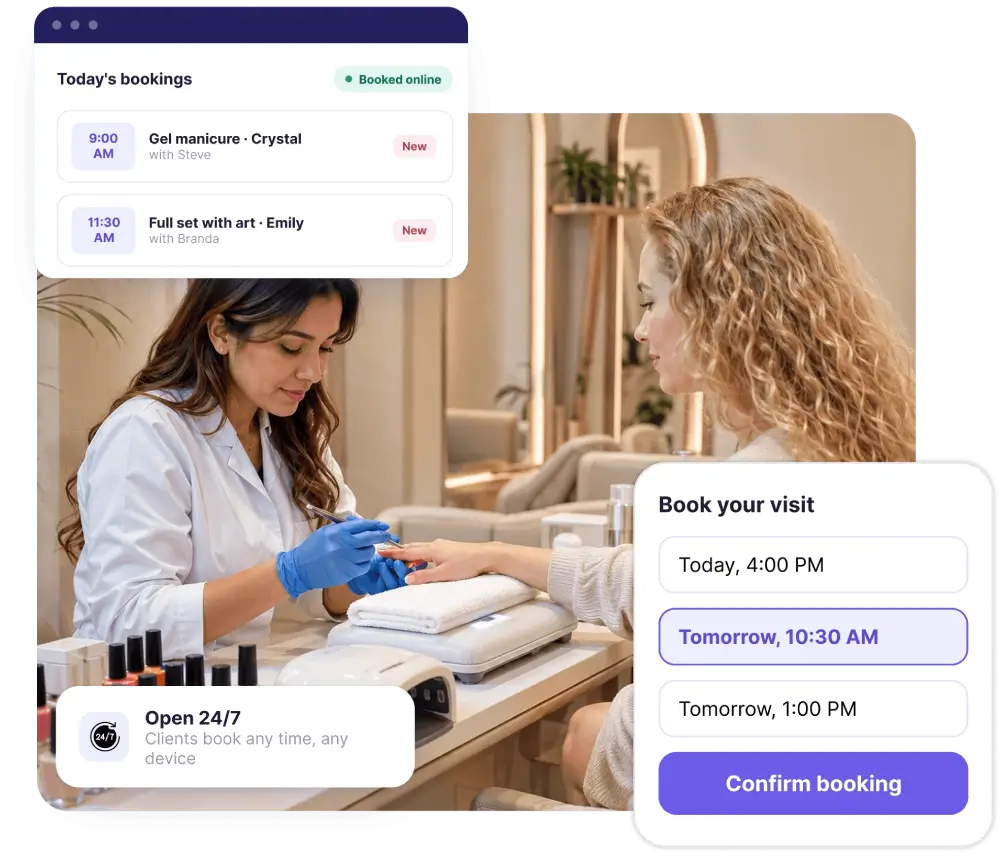
Most nail bookings happen when your salon is closed. Salonist gives clients a booking page they can use any time — from your website, Instagram, Facebook or the app. They pick their technician, choose the service and length, see real availability and confirm instantly.
Automatic SMS and email reminders cut the no-shows that leave a technician sitting idle, and clients can reschedule themselves rather than simply not turning up.
- 24/7 online booking from web, social and mobile
- Client picks their preferred nail technician
- Real-time availability — no double-bookings
- Automatic reminders to reduce no-shows
- Self-service rescheduling and cancellations
- Walk-in and waitlist handling
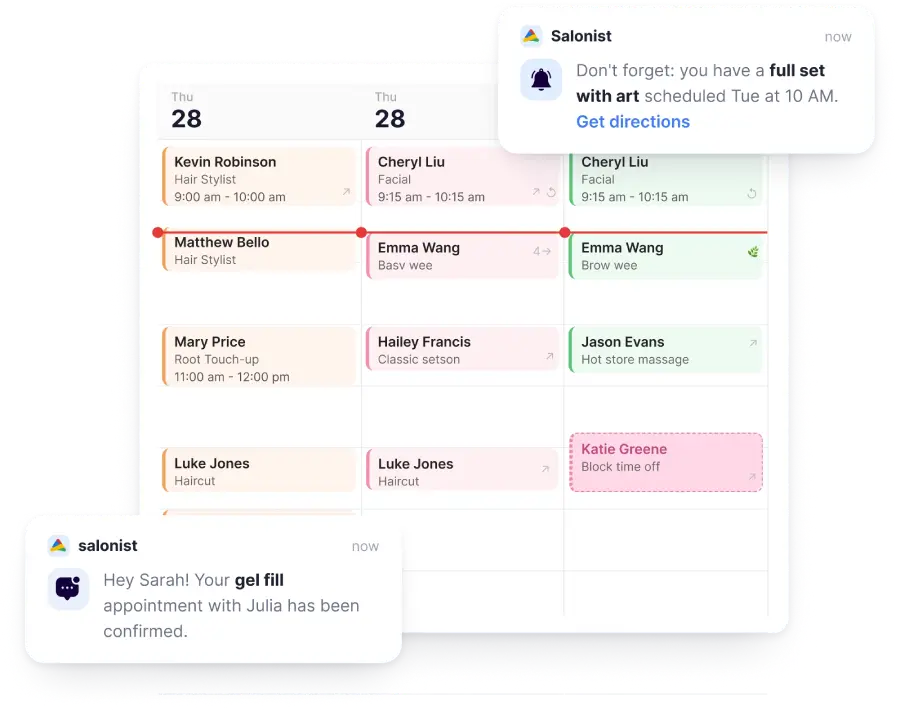
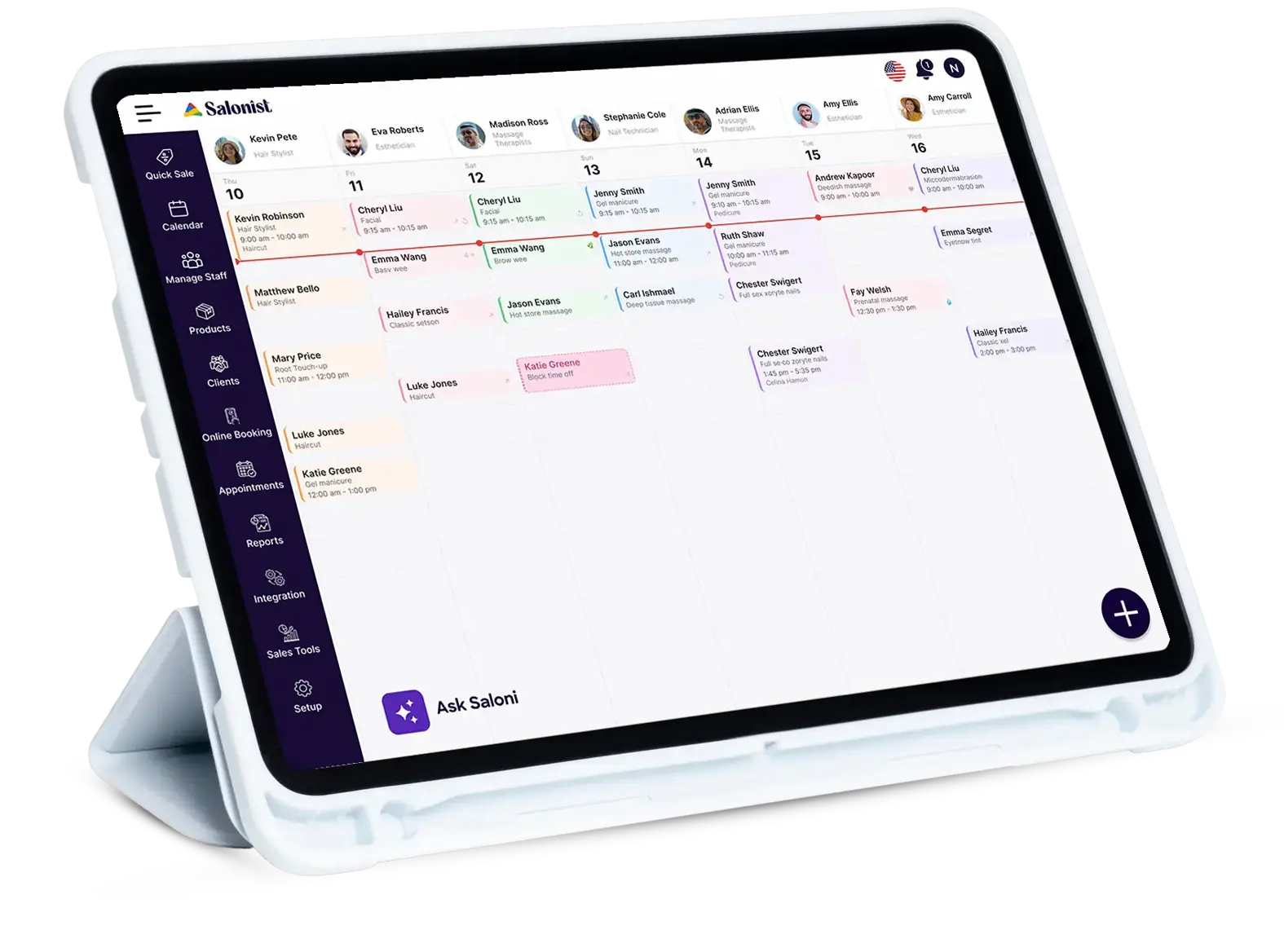
Nail Salon Scheduling Software for Technicians and Stations
Nail services run to very different clock times — a gel fill is not a full set with art. Salonist's nail salon scheduling software builds the right duration into every service, assigns the technician and station together, and keeps walk-ins from colliding with booked clients.
- Service-specific durations for gel, acrylic, dip and art
- Technician and station assigned together
- Individual availability, breaks and time off
- Walk-in slots alongside booked appointments
- Colour-coded calendar by technician or service
- Staff performance and commission tracking
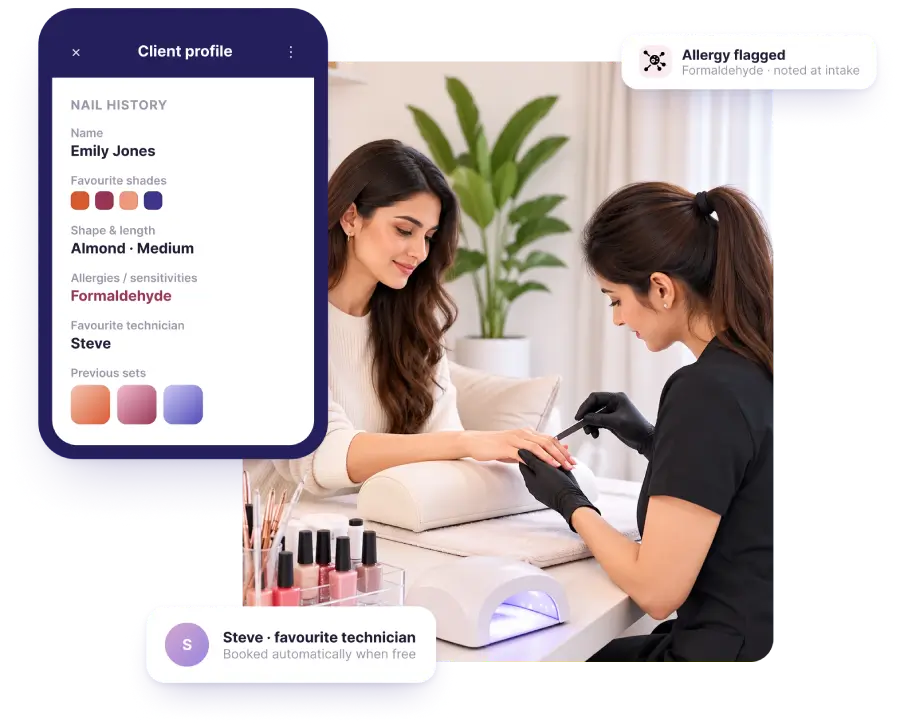
Client Nail History and Preferences
Every client has a saved profile with their full nail history — the shades they've had, the shape and length they prefer, any allergies or sensitivities, their favourite technician, and photos of previous sets. Your technicians open one screen and already know what the client wants, instead of asking the same questions every visit.
- Complete service and colour history
- Photos of previous nail sets and art
- Shape, length and finish preferences
- Allergy and sensitivity notes
- Preferred technician saved automatically
- Purchase history for retail recommendations
Evaluation of Staff Performance
With the performance evaluation feature of our nail salon management system, you can easily see how employees are doing. You can analyze which employee was booked by the most number of clients, who completed the most number of services, etc. This helps business owners distribute work and reward high-performing employees.
User-Friendly Software Interface
Our all-in-one nail salon booking software allows clients to schedule nail services 24/7. Staff can also manage online appointments and keep track of new or upcoming nail salon bookings.
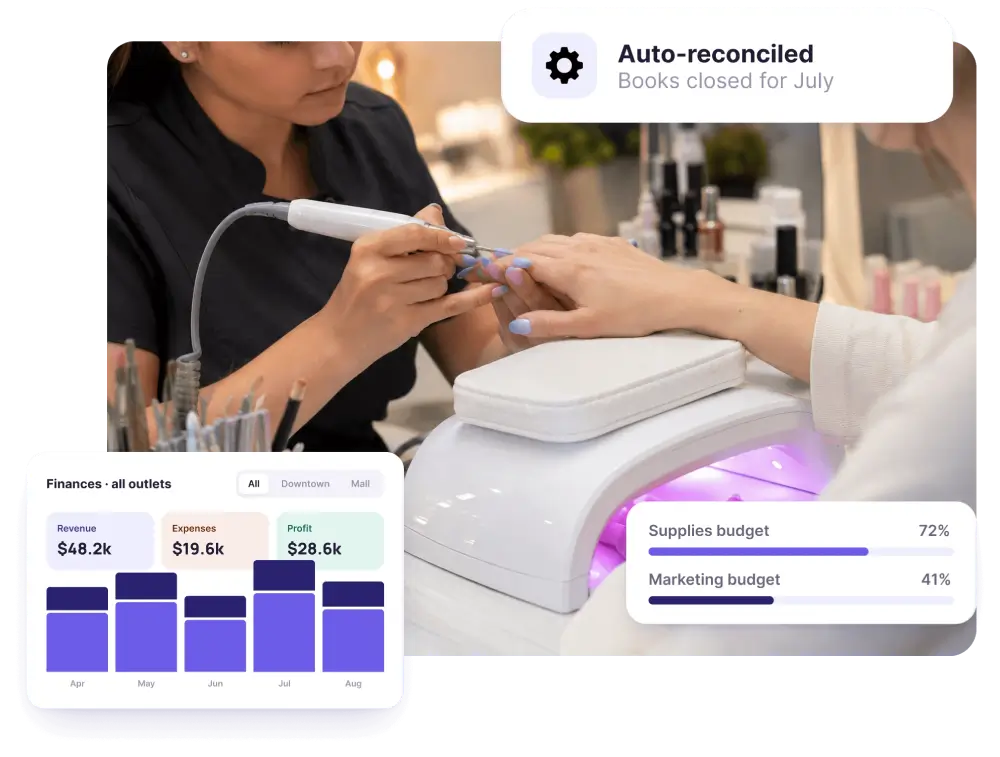
Hassle-free Accounting
Our nail salon software includes accounting features to manage finances across all of your outlets. Track expenses, profits, and budgets easily. Salonist automates accounting tasks, saving time and effort, which can be used to make your services better.
Seamless Integration with Social Media
Salonist makes it easy for customers to book nail appointments online via popular social media platforms like Instagram, Facebook, and more.
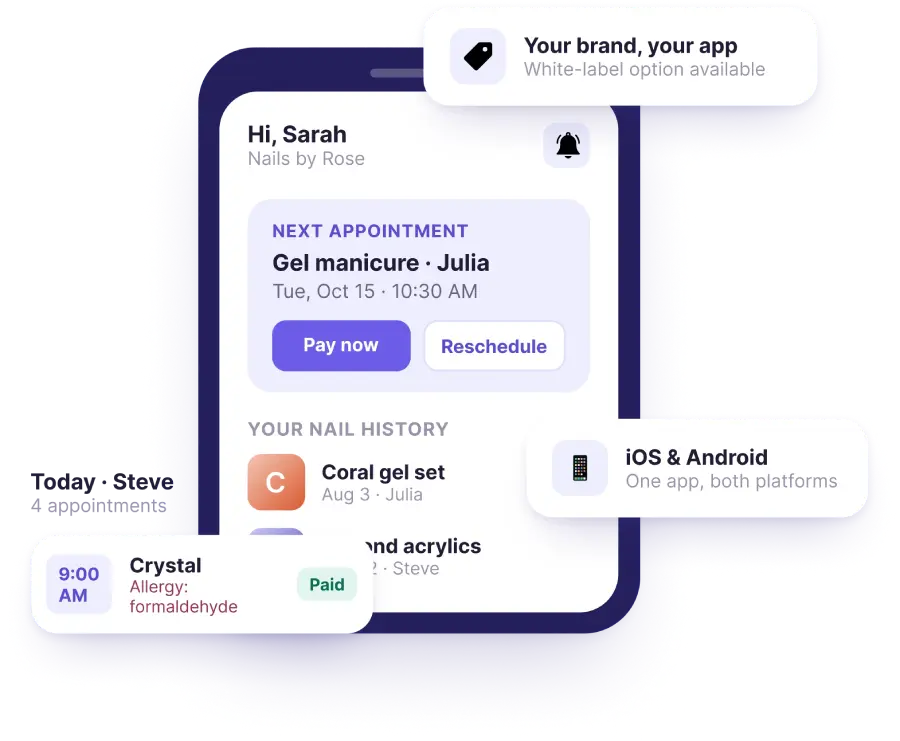
Nail Salon App for Clients and Technicians
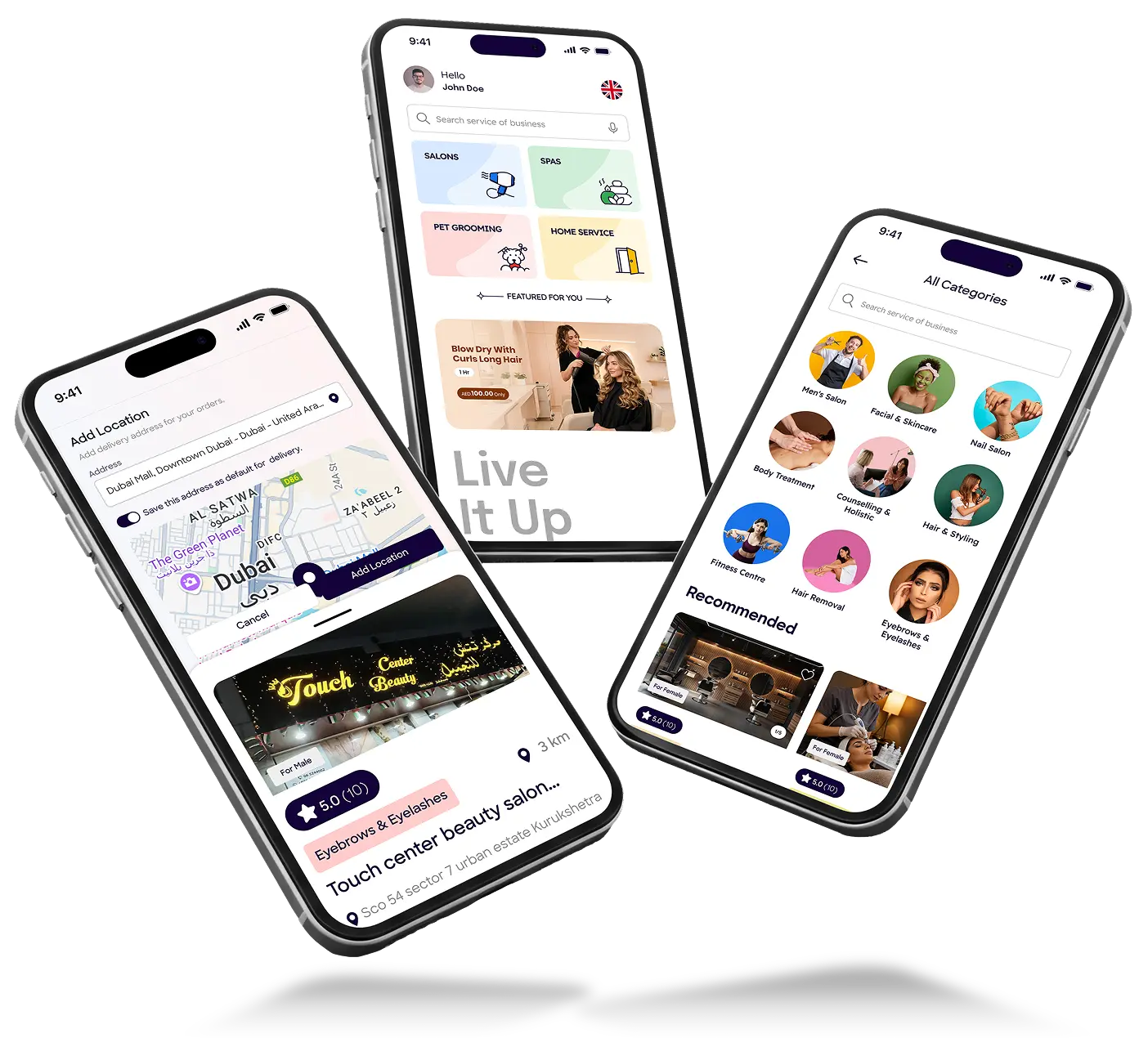
The Salonist nail salon app puts your salon in everyone's pocket. Clients book, reschedule and pay from their phones and see their nail history. Your technicians check their day, view client preferences and take payments on the go. Available for iOS and Android, with the option of a branded nail salon booking app under your own name.
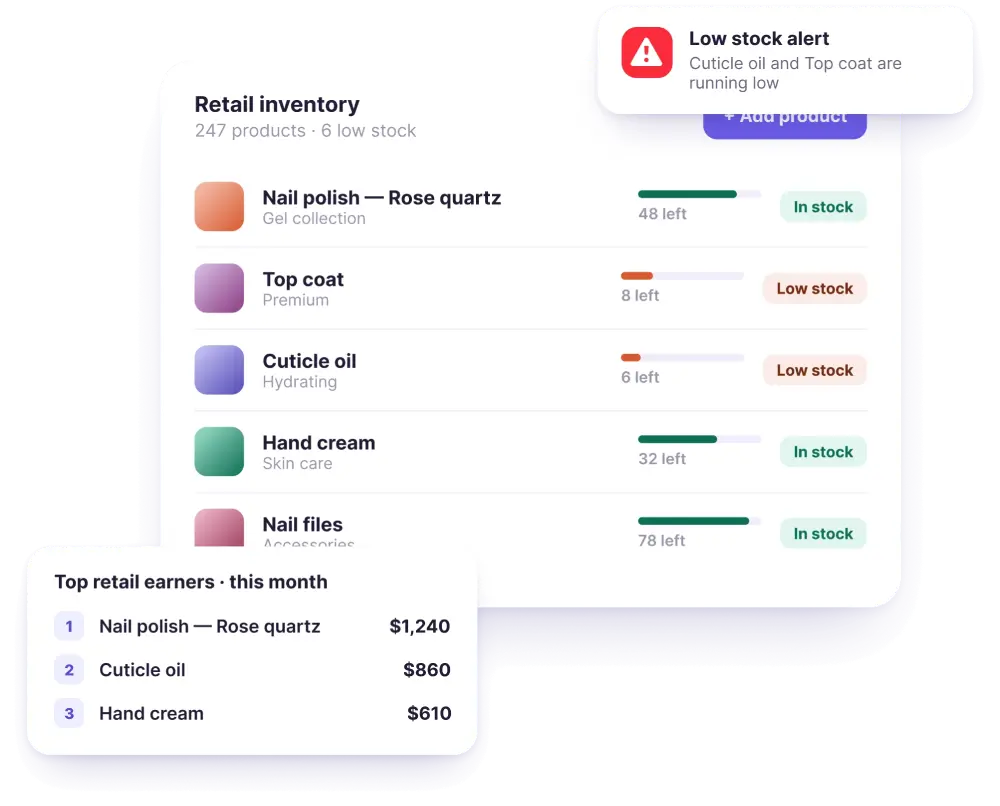
Retail Stock and Inventory
Polishes, gels and files run out without warning when nobody is tracking them. Salonist monitors stock as you sell, flags low quantities before you run dry, and shows which retail lines actually earn their shelf space.
Nail Salon POS Reporting That Tells You Something
Every transaction feeds the same reports, so you are not exporting three systems into a spreadsheet to work out how the month went.
- Revenue split by service, retail and tips
- Takings by technician, by day, by branch
- Average ticket value and retail attach rate
- Which services and which retail lines actually earn
- Rebooking rate by technician
- Tax and end-of-day cash-up reconciliation
Nail Salon POS Hardware
Salonist runs in a browser, so it works on the hardware you already have — a desktop at the front desk, a tablet at the station, a phone in a technician's pocket. Add a card reader, receipt printer, cash drawer and barcode scanner as you need them.
| Device | Notes |
|---|---|
| Desktop or laptop | Any modern browser, no install |
| Tablet | Checkout at the station |
| Phone | iOS and Android app |
| Card reader | Stripe Reader, Clover, Pine Labs |
| Receipt printer | Standard thermal printers |
| Cash drawer | Opens on cash transactions |
| Barcode scanner | For retail stock |
Why Nail Salons Choose Salonist?
Running a nail salon is about more than just great nails. Between managing appointments, keeping track of your technicians, handling walk-ins, and making sure every client gets exactly the style they love, things can get overwhelming fast. Salonist was built to make all of that simple. From the moment a client books online to the second they walk out the door with perfect nails, everything runs smoothly and without the stress.
- 24/7 online booking for clients
- Saved client nail preferences and history
- Simple technician and station scheduling
- Automated reminders to reduce no-shows
- Free trial — no commitment needed
Start Running Your Nail Salon the Easy Way
Fewer no-shows. Faster checkout. Every client's nail history at your fingertips. Try Salonist free for 7 days
We focus on our customers, and they show their love in return

Best Customer Support
Highly Recommended
Users love us
User experience
Expanding Globally with a Growing Reach
52%
75%
35K
60%
Frequently Asked Questions
Need clarity? Our FAQ section covers everything you need to make an informed decision.