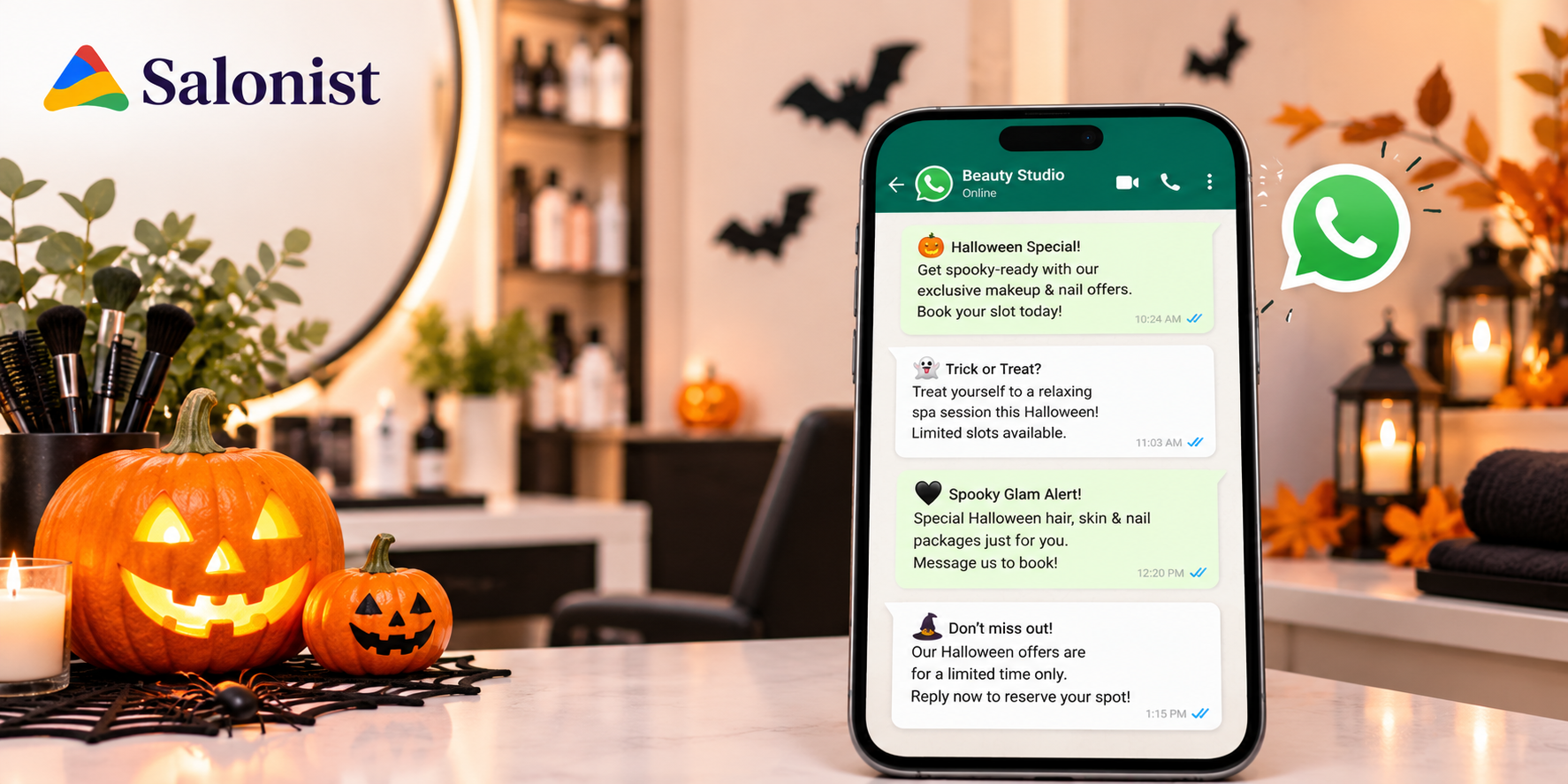
Halloween WhatsApp templates save you time. They help you reach clients fast with a short and friendly message. This guide gives you ready-to-use texts for salons and spas.
It is part of our wider guide to Halloween salon ideas. Pair the two to build a full Halloween plan.
Key Takeaways
- Message only clients who agreed to hear from you.
- Keep every message short with one clear offer.
- Start two weeks before Halloween.
- Copy the templates and change the details.
- Check which messages bring bookings.
Why Use WhatsApp for Halloween Offers
Many clients check WhatsApp every day. A short message is easy to read and easy to answer. You can also share photos of your Halloween looks.
- Clients reply fast.
- You can send photos and short clips.
- The tone feels personal.
- Clients can answer with one word.
Hair salons and nail salons and spas all gain from WhatsApp. It works best with your other channels. Add email and text and social posts for more reach.
Rules to Follow Before You Send
Good messages build trust. Bad ones push clients away. Follow these simple rules first.
- Send only to clients who agreed to messages.
- Use the approved template process of your WhatsApp provider.
- Give clients an easy way to opt out.
- Do not send too many messages.
- Send during normal daytime hours.
Rules change from time to time. Check the current WhatsApp Business policy before you start.
Salonist works with WhatsApp tools such as Interakt. Check which one fits your plan and your country.
How to Write a Good Halloween Message
A short message gets read. A long one gets skipped. Use these tips.
- Keep it to three short lines.
- Use the client’s name.
- Share one offer only.
- Add one clear action.
- Use one or two emojis at most.
- Add an end date.
Read the message out loud before you send it. If it sounds long then cut it.
Halloween Offer Templates
Replace the words in square brackets with your own details. Each template uses a one-word reply. That makes it easy for clients to answer.
Template 1: Early Announcement
Hi [Name]! 🎃 Halloween looks are here at [Salon Name]. Book your party hair or nails or makeup this week. Reply YES and we will send our menu.
Send this two weeks before Halloween. It sets up the rest of your campaign.
Template 2: Party Bundle
Hi [Name]! Get party ready with our Halloween bundle. Hair and nails and makeup at one special price. Offer ends [Date]. Reply BOOK to save your spot.
Send this ten days before Halloween. Add a photo of your best look.
Template 3: Bring a Friend
Hi [Name]! Bring a friend for Halloween looks. You both get a small treat from us. Offer ends [Date]. Reply FRIEND to claim it.
Send this one week before Halloween. Clients often plan parties around this time.
Last-Minute and Reminder Templates
Late messages still bring bookings. Many clients plan their look at the last minute. These templates help you fill any gaps.
Template 4: Last-Minute Spots
Hi [Name]! We have a few spots left before Halloween. Quick looks are ready for you. Reply NOW to grab one.
Template 5: Treat Cards
Hi [Name]! Our Halloween treat cards are here. Give a friend a gift they will love. Reply CARD for details.
This one works well with gift cards. Clients can buy a gift in minutes.
Template 6: Visit Reminder
Hi [Name]! Your Halloween look is booked for [Day] at [Time]. Please arrive ten minutes early. Reply CHANGE if you need a new time.
Loyalty and Thank-You Templates
The work does not end on Halloween night. These messages keep new clients coming back. They also reward your regulars.
Template 7: Double Points
Hi [Name]! Earn double points on Halloween services this week. Treat yourself and watch your points grow. Offer ends [Date].
Set this up with loyalty points before you send it. Make sure your team knows the rules.
Template 8: Thank You
Hi [Name]! Thank you for visiting [Salon Name]. We loved your Halloween look. Here is a small treat for your next visit. Use code [Code] by [Date].
Template 9: Win-Back
Hi [Name]! We miss you at [Salon Name]. Come in this month for a fresh look. Show this message for a small gift.
When to Send Each Message
Timing matters as much as the words. Use this simple plan.
- Two weeks before: Template 1
- Ten days before: Template 2
- One week before: Templates 3 and 5
- Halloween week: Templates 4 and 6 and 7
- Day after Halloween: Template 8
- One week after: Template 9
Common Mistakes to Avoid
Even good offers can fail with poor messages. Watch out for these common errors.
- Sending messages to clients who did not agree
- Sending the same message many times
- Writing long messages with many offers
- Using unclear end dates
- Ignoring replies for hours
Fix these and your messages will work much better. Clients trust salons that respect their time.
How to Answer Client Replies Fast
A reply is a warm lead. Answer it quickly and politely. Slow answers lose bookings.
- Assign one team member to watch replies. Plan their shifts with employee management.
- Save short answers for common questions.
- Share your menu and prices in one message.
- Confirm the booking details in writing.
Check replies at set times each day. This keeps your team on track during busy hours.
How to Send Messages at Scale
Do not send every message by hand. Group your clients by past services. Send nail offers to nail clients and hair offers to hair clients.
A client management tool keeps these groups in one place. You can also run text and email campaigns next to your WhatsApp messages. Test each message on your staff first.
Track Which Messages Work
Count the replies to each template. Note how many replies turned into bookings. Drop the weak ones and keep the best.
Use reports and analytics to see your sales by week. Keep your notes for next year. Your best templates will save you hours.
Conclusion: Send Smart Messages This Halloween
Halloween WhatsApp templates work best when they stay short and friendly. Pick a few and send them on time. Always respect each client’s choice to opt out.
Then review what worked and reuse it for the next holiday. Good habits make marketing easier all year.
Want one place for your messages and client list and offers? Start a free Salonist trial and plan your next campaign.