A salon can be packed and still make a loss on the same day. It is not surprising at all; just speak to the owner whose Saturday schedule was flawless in writing but crumbled down by noon. Two clients no-show. A colour appointment runs long, pushing back three other bookings. One stylist is buried while another stands around waiting for a walk-in. You may not notice a scheduling problem until the cash and calendar numbers don't match.
Whereas most of the owners of the salons treat scheduling as just logistics: fill the time slots, allocate the staff, and proceed further. The actual expenses are not those that arise from filling those time slots. Those are the expenses that arise from empty time slots that go unused and from double-bookings, since no one could see what was actually available and what was needed.
Good salon staff scheduling is not about squeezing more appointments into the day. It is about aligning staff work schedules, skills, and availability with the customers' needs, making sure that the schedule reflects reality rather than wishful thinking.
The following blog provides insight into the problems associated with salon scheduling, the principles of good scheduling, and how proper scheduling systems allow one to safeguard revenues and staff resources.
What Is Salon Staff Scheduling?
Before fixing scheduling problems, it helps to define what the process actually involves and where it fits into daily salon operations.
How Salon Staff Scheduling Works
Scheduling staff in salons ultimately translates into having the right professionals in the right place at the right time when dealing with clients. This may sound easy, but there are several aspects involved in it.
- Finding the right staff who are skilled enough and have time for the appointment
- Tracking working hours, breaks, days off, and shift patterns so nobody is booked when they're not actually available
- Coordinating services by the time they take, not just the time slot they're assigned
If these pieces are left unmanaged, tiny scheduling gaps appear when a client is on the front desk.
The Importance of Scheduling Beyond Filling the Calendar
A packed calendar looks good from a distance. It doesn't always mean a well-run day. Solid scheduling delivers benefits that a "just get it booked" approach can't:
- Staff time gets used efficiently instead of sitting idle or getting overloaded
- Conflicts between appointments drop because availability is accurate, not assumed
- Daily operations become predictable, so front desk staff aren't firefighting all day
- Clients get seen on time, which shapes how they rate the whole visit
Scheduling is really an operations decision with a direct line to revenue, not an administrative afterthought.
The Most Common Salon Scheduling Problems That Result in Losses
All the scheduling problems can be categorized into just a few common types. Knowing these issues will help solve them.
Missed Appointments and Last-Minute Cancellations
An empty chair when there's a booked time means you've lost money that cannot be recovered for the rest of the day. The cost multiplies when you consider how much loss can occur throughout a week based on all the missed appointments and the hours wasted working on people who didn't show up, when they could have been doing something productive. The good news is that there is an easy way to solve this issue through a confirmation message.
Double Bookings and Overbooking
Manual scheduling, sticky notes, shared spreadsheets, a paper diary, makes double bookings almost inevitable once a salon has more than one or two chairs running. A proper appointment management system blocks the conflict at the point of booking. This results in increased wait times, frustrated employees running around everywhere, and dissatisfied customers observing all this commotion. It is important to understand that maximizing client bookings does not always result in maximizing revenue. A schedule crammed too tight often costs more in rushed service and client dissatisfaction than it earns in extra appointments.
Uneven Staff Workloads
Go to any salon on a busy day, and you'll see it: one stylist has a full chair and a line of prepped-up clients, while another has long empty sessions between clients. It is not always a matter of ability or popularity, it is often a matter of appointment allocation. The problem is that without such a smart scheduling system, bookings will be made based on the availability of the person who can be contacted easily rather than their capacity.
Walk-ins Ruin the Schedule
While walk-ins may be good for business, they can easily mess up an already tight schedule. It all depends on how you create the capacity to allow for walk-ins without messing up everything else.
How to Build a Smarter Salon Staff Scheduling Process
Fixing these problems starts with rebuilding the schedule around real information instead of assumptions. Mukta Beauty Salon streamlined a chaotic schedule using the same approach.
Start With Real Staff Availability
This includes tracking the hours worked, leaves granted, holidays, break days, and part time or full time employees. Being off even a day in the availability would make scheduling difficult throughout the week.
Match Appointments With Staff Skills
Not every stylist offers every service. Colour work, chemical treatments, and precision cuts each require specific training. Booking a client with someone unqualified for the service, even by accident, leads to appointment changes, awkward conversations, and clients who don't come back.
Account for Service Duration
A haircut and a full colour treatment shouldn't occupy the same size time block, yet manual scheduling often treats them that way for simplicity. Scheduling according to the actual service times, with a margin added, ensures that the day remains on schedule rather than going behind as appointments progress.
Reserve Some Capacity for Unexpected Demand
A fully packed calendar might look efficient, but it leaves no room for the client who calls needing something today, or the walk-in who wants to be seen now. Reserving a small amount of controlled availability protects both revenue opportunities and staff from being stretched past a reasonable workload.
How to Reduce Salon No-Shows With Better Scheduling
No-shows and scheduling have a closer link than many owners realize. BB Salon in Dubai cut down on no-shows largely by fixing how reminders and confirmations were handled.
SMS or WhatsApp Appointment Reminders
Sending an appointment reminder a day before, and again a couple of hours before, decreases the rate of no-shows considerably. This provides clients with sufficient time to prepare.
Rescheduling Made Simple
If changing an appointment takes a phone call during business hours, plenty of clients will just skip it instead. A simple self-service way to reschedule fills cancelled slots faster and cuts down on appointments that quietly turn into no-shows.
Use Customer Appointment History
Some clients cancel more often than others. Nevertheless, once this pattern is established, there are always options for salons to handle this situation by reminding people earlier on or simply having the conversation at the reception area.
How to Prevent Overbooking Without Losing Revenue
Avoiding overbooking doesn't mean leaving money on the table. It means being precise about what a day can actually hold.
Set Realistic Appointment Capacity
Capacity should be calculated per staff member, per service, based on real working hours, not by treating every open calendar slot as automatically bookable.
Use Real-Time Schedule Visibility
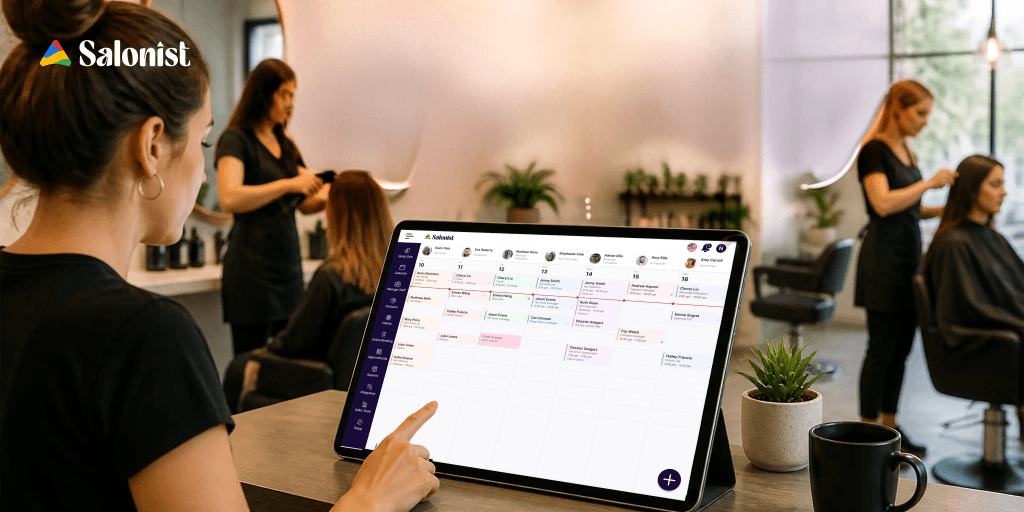
Seeing every staff member's appointments in one view makes it far easier to spot a looming conflict before a client ever notices it, especially in salons coordinating multiple service providers across a busy day.
Build Smarter Buffers Between Appointments
A short buffer after longer services absorbs the inevitable delays: a colour that needs five extra minutes, a client who arrives late, without knocking the rest of the day off course.
How Salonist Helps in Managing Your Salon Team Schedules More Easily
Salon software systems like Salonist can connect these elements into one system rather than dividing them into a diary, an Excel table, and a messaging group.
Manage Staff Working Times in One Centralized System
With Salonist, you can plan your working schedule for each member of your team, making sure it is all organized in one single system. The staff management software handles attendance, leaves, rosters, and shift tracking alongside the appointment calendar.
Connect Staff Scheduling With Appointments
Since staff availability and appointment scheduling are both part of the same software, it becomes easier to match appointments made by customers with people who are available, minimizing the occurrence of scheduling errors.
Automate Appointment Reminders
Automated reminders via SMS or WhatsApp will alert the client before their appointment, and this can be a direct way of reducing the number of no-shows without additional tasks for the reception desk.
Get Better Visibility Into Salon Operations
Since everything from appointment information to staff schedules to workload is available on one screen, management is able to make scheduling decisions that are based on reality rather than estimation.
What Should You Look for in Salon Staff Scheduling Software?
If you're evaluating scheduling tools, a few capabilities matter more than the rest:
- Staff availability and shift management that reflects real hours, not static defaults
- Appointment scheduling and calendar management that's easy for front desk staff to use under pressure
- Automated SMS and WhatsApp notifications for reminders and confirmations
- Rescheduling and cancellation management that clients can handle themselves
- Customer and appointment history to spot patterns like repeat no-shows
- Reporting and performance insights to see where staff time and capacity are actually going
The Business Impact of Getting Salon Staff Scheduling Right
When scheduling improves, the effects show up across the business, not just on the calendar:
- Fewer empty appointment slots eating into daily revenue
- Lower risk of overbooking and the chaos that comes with it
- Better staff utilisation, with workloads spread more evenly
- More predictable revenue from week to week
- Shorter customer wait times
- A smoother day for both staff and clients
Main Takeaways: How to Use Your Salon Calendar as a Revenue Generator
Scheduling is one of the most overlooked aspects of the salon business and is treated as a back of house job, not an optimisation. However, the message is loud and clear: no-shows, overbooking, and workload are not unrelated issues. All of them are evidence of scheduling that does not provide a real-time view on staff availability, service duration, and customer demand.
Getting this right isn't about squeezing more appointments into the day. It's about building a calendar that reflects reality closely enough that your team can plan around it with confidence and your clients notice the difference in wait times and service quality. Salon management platforms such as Salonist bring scheduling, appointments, and reminders into one system, which makes that kind of accuracy far easier to maintain day-to-day.
Ready to stop losing revenue to gaps you can't see coming? Explore how Salonist can help you build a scheduling process your team can actually rely on.
FAQs
What is salon staff scheduling?
Salon staff scheduling is the process of assigning the right team member to each appointment based on their working hours, skills, and current workload. It covers shift patterns, breaks, leaves, and service duration, so the calendar reflects who is genuinely available rather than who happens to have an open slot on paper.
How do I stop double bookings in my salon?
Double bookings almost always trace back to availability that lives in more than one place: a paper diary, a spreadsheet, a phone message. Keeping every staff calendar in one system that blocks a slot the moment it is taken removes the root cause. Adding short buffers after longer services stops overruns from cascading into the next appointment.
How much time should I leave between salon appointments?
It depends on the service. A quick cut may need nothing, while colour, chemical treatments, and longer sessions typically benefit from a 10 to 15 minute buffer for cleanup, consultation, and clients who arrive a few minutes late. Base the buffer on how long each service actually takes in your salon, not on a standard slot length.
How can better scheduling reduce salon no-shows?
Most no-shows come down to forgetting or to rescheduling being too much effort. Automated SMS or WhatsApp reminders a day before and again a few hours before cut the first problem. Letting clients reschedule themselves online cuts the second, since a moved appointment still keeps the revenue while a silent no-show does not.
Should salons keep slots open for walk-ins?
Usually yes, in a controlled way. Reserving a small amount of capacity during your busiest periods lets you take same-day clients without pushing booked appointments back. The exact amount depends on how much walk-in traffic your location actually gets, which your appointment history will show.
What should I look for in salon staff scheduling software?
Shift and availability management that reflects real hours, appointment scheduling your front desk can use under pressure, automated reminders and confirmations, self-service rescheduling, client and appointment history, and reporting on how staff time is being used. Scheduling that connects directly to bookings matters more than any single feature on the list.