The front desk is the first thing clients see when they walk in and the last thing they remember when they leave. It is where bookings are confirmed, payments are taken, problems are solved and repeat visits are won. When the desk runs smoothly, the whole salon feels calm. When it does not, small misses like a forgotten reminder, a double booking or an unpaid ticket quickly turn into lost revenue.
A clear salon front desk checklist takes the guesswork out of the job. It gives your receptionist a simple routine to follow, helps new hires get up to speed faster and makes sure nothing slips through the cracks on a busy Saturday. Below, we have broken the work into daily, weekly and monthly tasks you can copy, print or set up inside your salon management software.
Why Every Salon Needs a Front Desk Checklist
Most front desk mistakes are not caused by a lack of skill. They happen because the receptionist is juggling phone calls, walk-ins, payments and client questions at the same time. A checklist turns those moving parts into a repeatable process.
- Consistent client experience: Every client is greeted, checked in and checked out the same way, no matter who is on shift.
- Fewer no-shows and gaps: Confirmations and reminders go out on time, so your stylists stay booked.
- Accurate money handling: Daily cash-ups and payment checks catch errors before they grow.
- Faster training: New front desk staff learn the role in days, not weeks.
- Better rebooking: When rebooking is a checklist step, it actually happens.
Daily Salon Front Desk Checklist
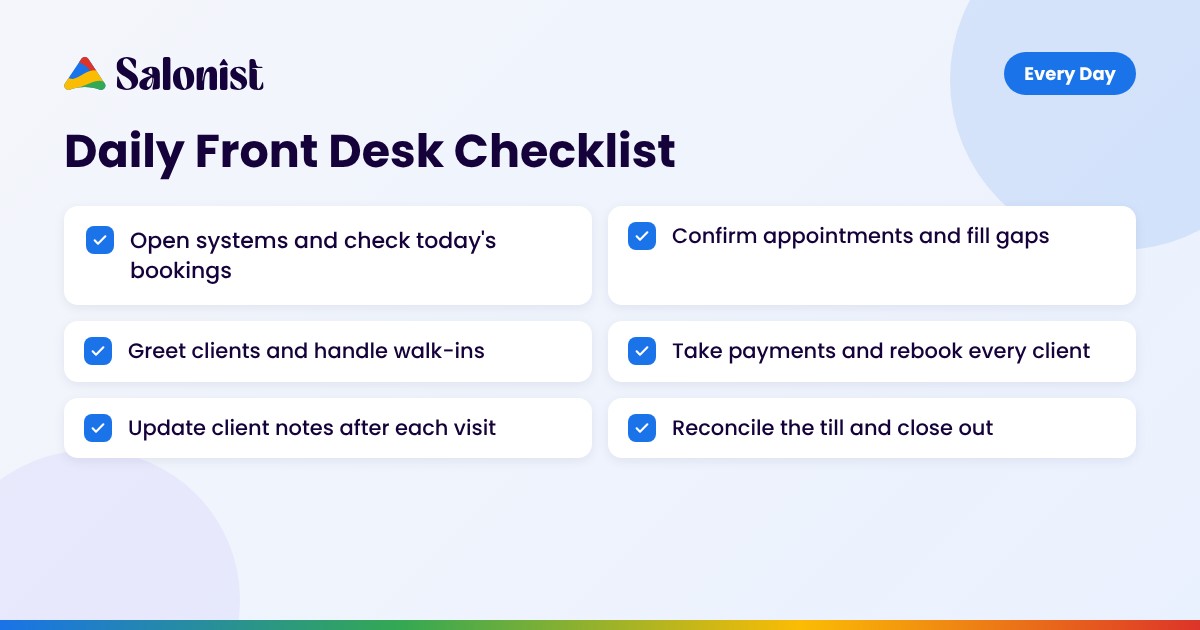
Daily tasks keep the salon running from opening to close. Split them into three parts of the day so your team always knows what comes next.
Opening Tasks
- Switch on the computer, card terminal, phones and music, and log in to your booking system.
- Review today's appointments, staff schedules and any special notes, such as allergies, colour formulas or VIP clients.
- Check online bookings and messages that came in overnight and reply to anything urgent.
- Confirm same-day appointments and fill any open slots from your waitlist.
- Count the opening float and make sure the reception area, waiting chairs and retail shelves are clean and tidy.
During the Day
- Greet every client by name within a few seconds of arrival and offer a drink or a seat.
- Check clients in and alert the stylist or therapist that their client has arrived.
- Answer calls and messages promptly and take bookings without leaving the client in front of you waiting.
- Manage walk-ins by checking real-time availability. Our guide on how to handle salon walk-ins covers this step in detail.
- Keep an eye on running times and let waiting clients know if there is a delay.
Checkout and Closing Tasks
- Take payment, apply any gift cards, wallet balances or loyalty points and offer a printed or digital receipt.
- Rebook the client's next visit before they leave and suggest retail products their stylist recommended.
- Update client profiles with service notes, formulas and preferences.
- Reconcile cash, card and online payments against the day's sales report.
- Send reminders for tomorrow's appointments, set the voicemail and lock up the cash drawer.
A connected salon POS system makes the checkout and cash-up steps much faster because every sale, tip and refund is recorded in one place.
Weekly Front Desk Checklist
Weekly tasks look slightly further ahead. They protect next week's revenue and keep the desk organised. Pick a quiet time, such as Monday morning, and work through the list in one go.
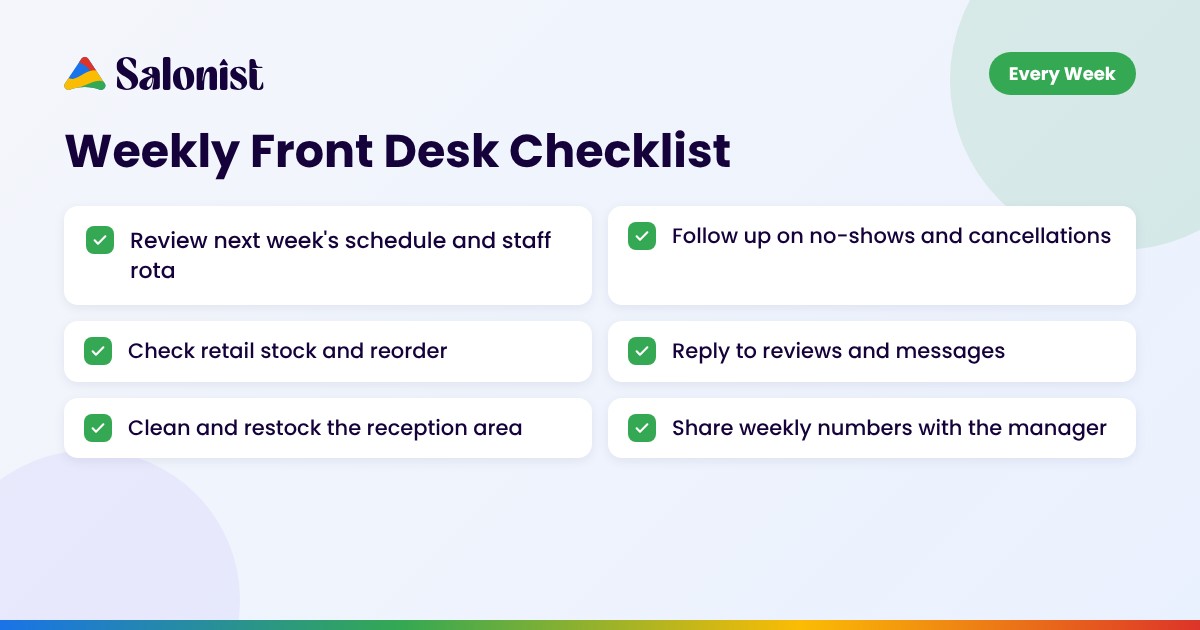
- Review next week's schedule: Look for empty slots, overbooked days and staff leave so you can adjust shifts early.
- Follow up on no-shows and cancellations: Contact these clients personally and offer a new time.
- Reach out to clients due for a visit: Use your client list to find people who have not rebooked. Tips in our post on improving your salon rebooking rate can help here.
- Check retail and back-bar stock: Note low items and place orders before they run out. Salonist's inventory management tool can flag low stock for you.
- Respond to reviews and messages: Thank clients for positive reviews and reply calmly to any complaints.
- Deep clean the reception area: Wipe down the desk, card machine and phones, and restock forms, business cards and retail displays.
- Share weekly numbers: Send the manager a quick summary of bookings, sales, rebooking rate and no-shows.
Monthly Front Desk Checklist
Monthly tasks are about improving the business, not just keeping it running. They give owners and managers the data they need to make better decisions.
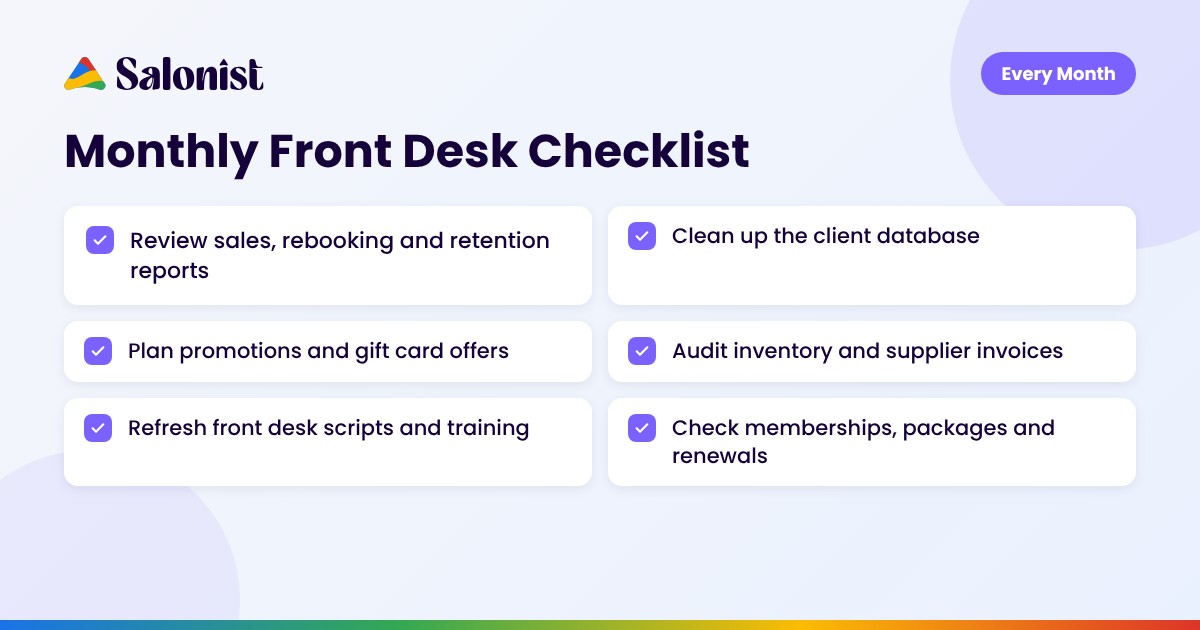
- Review key reports: Check total sales, average ticket value, client retention, rebooking rate and top services. Salon reports and analytics make this a five-minute job instead of a spreadsheet project.
- Clean up the client database: Merge duplicate profiles, update phone numbers and emails, and tag inactive clients for a win-back campaign. Read more about using salon CRM data to drive repeat bookings.
- Plan next month's promotions: Agree on seasonal offers, gift card pushes and email or WhatsApp campaigns with the team. Our list of salon gift card ideas is a good place to start.
- Audit inventory and supplier invoices: Compare stock counts with sales and check that every delivery was billed correctly.
- Check memberships and packages: Remind clients whose packages are expiring and review renewals.
- Refresh scripts and training: Update phone scripts, cancellation policy wording and upsell prompts, and walk new staff through any changes.
- Review front desk performance: Look at call handling, rebooking at checkout and retail sales per receptionist, and celebrate wins.
Common Front Desk Mistakes to Avoid
Even with a routine in place, a few habits can quietly cost your salon money and goodwill. Watch out for these:
- Skipping rebooking at checkout: Asking "Would you like to book your next visit?" takes seconds and is the easiest way to protect future revenue.
- Leaving client notes for later: Notes written at the end of the day are often incomplete. Update profiles right after each visit.
- Ignoring the phone during busy hours: Missed calls are missed bookings. Use voicemail, call-back lists or an AI assistant to catch them.
- Not enforcing the cancellation policy: Apply your policy fairly and consistently so last-minute cancellations do not become a habit.
- Relying on paper diaries: Paper books make double bookings and lost details far more likely than a digital calendar.
Tips to Make Your Front Desk Checklist Stick
A checklist only works if people use it. These simple habits help your team follow the routine every day.
- Keep it visible: Print the daily list and keep it at the desk, or pin it inside your salon software.
- Assign owners: If two people share the desk, decide who handles opening, closing and the weekly tasks.
- Use a shift handover: Before leaving, the morning receptionist notes anything the evening team needs to know.
- Review it every quarter: Remove steps that no longer apply and add new ones as your services grow.
- Automate wherever you can: Let software handle repetitive work so your team can focus on clients.
How Salonist Simplifies Front Desk Work
Many items on a salon front desk checklist are repetitive, which makes them perfect for automation. Salonist brings bookings, payments, client records and reports together so your receptionist spends less time on admin and more time with clients.
- Online booking: Clients book 24/7, so the desk handles fewer calls.
- Automated reminders: SMS, email and WhatsApp reminders cut no-shows without manual follow-up.
- Client management: Every visit, note, formula and purchase is saved in one profile.
- AI Receptionist: The Salonist AI Receptionist answers calls and books appointments when the desk is busy or closed.
- Staff management: Shifts, commissions and performance are tracked automatically.
- Marketing tools: Send win-back, birthday and promotion campaigns straight from the client list.
Final Thoughts
A busy salon depends on a confident, organised front desk. By splitting the work into daily, weekly and monthly tasks, your salon front desk checklist becomes a simple system that anyone on the team can follow. Start with the daily list, add the weekly and monthly steps once the routine feels natural, and let tools like Salonist take care of the repetitive work.
Ready to make your front desk run itself? Explore the Salonist salon software and see how much easier your daily routine can be.
FAQs
What should be on a salon front desk checklist?
A good salon front desk checklist covers opening tasks, client check-in, phone and booking management, checkout and rebooking, client notes, cash reconciliation and closing tasks, plus weekly and monthly reviews of stock, schedules and reports.
How often should a salon receptionist follow a checklist?
Daily tasks should be done every shift, weekly tasks once a week at a quiet time, and monthly tasks at the start or end of each month.
Can salon software replace a front desk checklist?
Software does not replace the checklist, but it automates many of its steps, such as reminders, payment records, stock alerts and reports, so the team has fewer manual tasks to complete.